
Future AI Guide - AI Tool Directory

The Ultimate AI Tool Directory

Cursor
Logo for Cursor software platform

Cursor

Vote for this project

Control, observe, and extend your AI agent workflow using powerful custom scripts.

Freemium

Cursor – AI-Powered Code Editor, Autonomous Pair Programmer, and Intelligent Development Environment

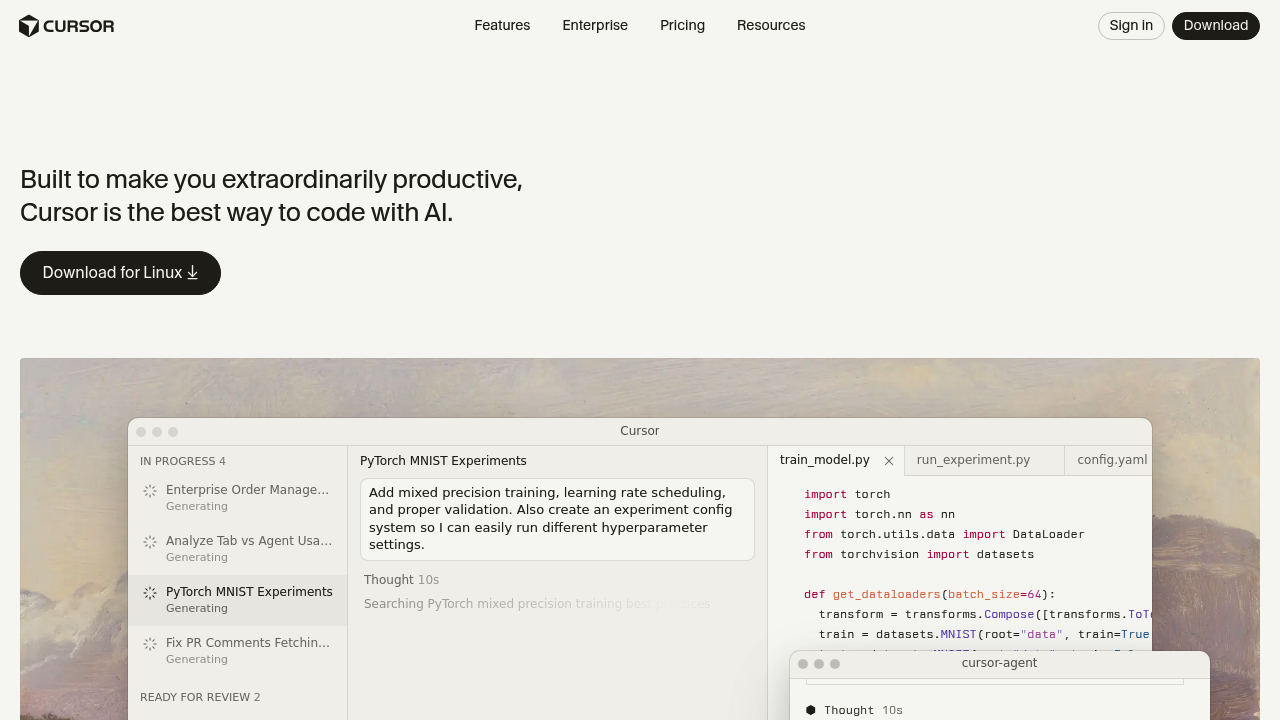
Cursor was designed to radically accelerate software development by embedding a powerful AI assistant directly into the coding environment. Traditional workflows require developers to constantly switch between editors, documentation, terminals, and AI tools—breaking focus and slowing progress. Cursor eliminates this fragmentation by turning the editor itself into a collaborative AI teammate.

Developers can ask Cursor to write features, debug issues, refactor modules, explain code, or even autonomously perform multi-step tasks across an entire codebase. With deep project awareness, seamless in-file edits, and agent-driven workflows, Cursor streamlines everything from prototyping to production development.

Key Features

  • AI Code Editing: Modify or generate code directly inside files with in-editor suggestions.
  • Multi-File Reasoning: AI understands the entire project, not just a single snippet.
  • Autonomous Tasks: Cursor Agents can implement features, refactor code, or fix bugs automatically.
  • Inline Chat: Ask the AI questions contextually within your code.
  • Git Integration: Generate commit messages, review diffs, and understand pull requests.
  • Custom Models: Choose from GPT-4, Claude, local models via Ollama, or enterprise model endpoints.

Pros

  • Deep project understanding leads to highly accurate code edits.
  • Autonomous agent mode completes complex tasks with minimal input.
  • Reduces context switching dramatically.
  • Works seamlessly like a modern IDE with AI at the center.

Cons

  • Best performance requires premium AI models.
  • Agents may require oversight to avoid unintended code changes.
  • Not a full replacement for VS Code’s ecosystem yet.
  • Can be resource-intensive depending on model configuration.

Pricing

Cursor offers:

  • Free Plan
    Access to the editor, limited AI usage, basic model options.

  • Pro Subscription
    Increased AI message limits, advanced models, agent capabilities, priority execution.

  • Team Plan
    Shared usage credits, collaboration tools, admin management, and team-level model access.

  • Enterprise Plan
    Self-hosted models, SSO, security compliance, audit logs, and custom deployment.

Cursor also supports bring-your-own-API-key for OpenAI, Anthropic, or local model usage.

Who Is Using This Tool?

  • Professional developers speeding up feature development and refactoring.
  • Startups building MVPs and iterating quickly.
  • Large engineering teams maintaining complex codebases.
  • Students & new engineers learning faster with AI explanations.
  • Open-source contributors navigating unfamiliar repositories.

Cursor’s autonomous workflows appeal especially to engineering teams looking to reduce busywork.

Technical Details

AI Editing Engine

Cursor’s core logic includes:

  • full project indexing
  • abstract syntax tree (AST) manipulation
  • multi-file analysis
  • contextual memory and reasoning

This allows the AI to modify multiple files cohesively.

Cursor Agents

Agents can:

  • build features end-to-end
  • fix bugs autonomously
  • refactor modules
  • add tests
  • migrate frameworks
  • write or improve documentation

Agents propose changes before applying them, ensuring developer oversight.

Model Support

Cursor supports:

  • GPT-4 and GPT-4 Turbo
  • Claude 3 models
  • Local LLMs via Ollama
  • Custom enterprise endpoints

Integration Features

  • Git commit generation
  • Diff explanations
  • Inline comments
  • Terminal-like command suggestions

The User Experience

Ease of Use

  • Install and open Cursor like a traditional editor.
  • Press Cmd+K (or equivalent) to prompt AI.
  • Apply changes directly within diffs.
  • Workflows feel natural to both beginners and pros.

Accessibility

  • Available on Windows, macOS, and Linux.
  • Zero-setup syncing with Git repositories.
  • Uses standard editor shortcuts and UI patterns.

Workflow

  1. Open your project in Cursor.
  2. Ask the AI a question or request a change.
  3. Review the proposed edits in diff mode.
  4. Approve, reject, or refine the results.
  5. Use agents for large-scale or multi-step tasks.

Summary

Cursor is one of the most advanced AI-first coding environments available today. With deep project understanding, powerful autonomous agents, and seamless in-file editing, it transforms development speed and workflow efficiency. Whether you’re building an MVP or maintaining a large codebase, Cursor acts as a collaborative partner that accelerates every part of the development process.

Related Tools

  • GitHub Copilot – Inline code completions and suggestions.
  • Cursor Agents (built-in) – Autonomous multi-step coding.
  • Codeium – Free AI coding assistant.
  • Cody by Sourcegraph – Codebase-aware AI for large repositories.
  • Aider – Terminal-based coding agent for Git projects.

Quick Actions

Similar listings in category