
Future AI Guide - AI Tool Directory

The Ultimate AI Tool Directory

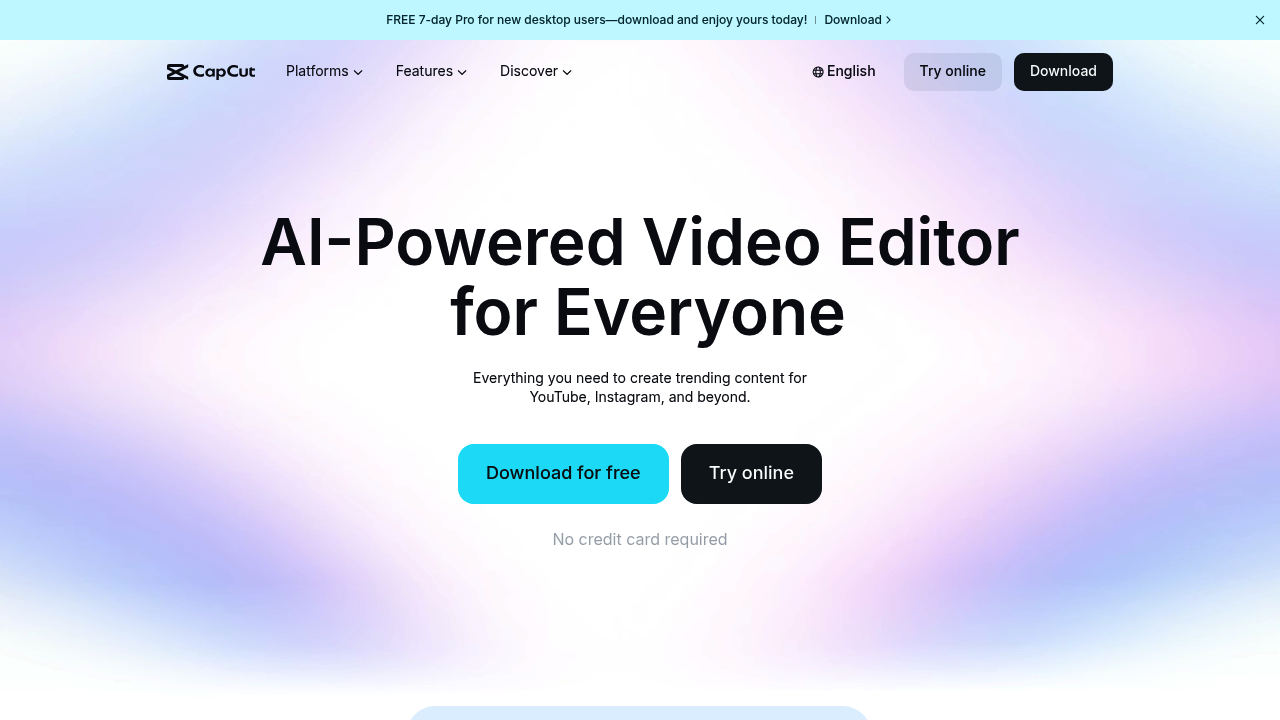
CapCut
CapCut logo

CapCut

Vote for this project

Edit videos quickly and add eye-catching effects for flawless social content.

Free

CapCut – AI Video Editing, Automation, and Creative Tools for Modern Content Production

CapCut was developed to make high-quality video creation accessible to everyone, from professional editors to everyday creators. Traditional editing tools require technical skill, long render times, and complex interfaces that slow down the creative process. CapCut removes these obstacles by offering intuitive controls, powerful AI automations, and fast cloud-based rendering—all in a beginner-friendly design environment.

Creators can automatically remove backgrounds, enhance audio, transcribe speech, generate captions, apply templates, and edit with precision. Businesses benefit from quick production times and consistent branding across platforms. CapCut bridges the gap between professional-level editing and user-friendly simplicity.

Key Features

  • AI Auto-Captions: Instantly generates accurate subtitles for videos in multiple languages.
  • Background Removal: Removes video backgrounds without a green screen.
  • AI Video Templates: Ready-made templates for TikTok, Reels, YouTube Shorts, and ads.
  • Voice Enhancement: Cleans audio, reduces noise, and improves clarity automatically.
  • Text-to-Speech & Voice Cloning: Generate narration and character audio with AI voices.
  • Image & Video Upscaling: Improve resolution and quality using AI-powered enhancement.

Pros

  • Extremely easy to use for beginners.
  • Fast editing and cloud rendering.
  • Large template library optimized for social platforms.
  • Strong set of AI automation tools (captions, background removal, voice cleanup).

Cons

  • Limited advanced controls compared to high-end editors like Premiere Pro.
  • Cloud features require stable internet.
  • Some effects require paid credits depending on region.
  • Occasional export compression for large files.

Pricing

CapCut offers a mix of free and paid features:

  • Free Version
    Most core editing features, templates, AI captions, filters, and transitions.

  • CapCut Pro (Subscription)
    Higher-quality exports, premium effects, faster rendering, advanced AI tools, and asset libraries.

  • Credits for Premium Assets
    Some AI tools and stock content require additional credits depending on usage.

Pricing varies by region and platform (web, mobile, desktop).

Who Is Using This Tool?

  • Social media creators producing short-form videos for TikTok, Instagram, and YouTube.
  • Businesses and marketers creating ads, customer stories, and branded content.
  • Educators making instructional videos and tutorials.
  • Influencers designing template-based content for fast publishing.
  • Video editors who need quick-turnaround cuts, captions, and enhancements.

CapCut is widely adopted because it removes barriers to high-quality editing.

Technical Details

AI Editing Engine

CapCut’s AI models power automated tasks like:

  • speech-to-text captioning
  • noise reduction
  • background segmentation
  • video upscaling
  • motion tracking
  • color matching

These tools streamline editing without requiring technical expertise.

Template System

Templates include:

  • transitions
  • split-screen layouts
  • dynamic text animations
  • timed audio sync

Templates adapt automatically based on imported media.

Cloud Rendering

CapCut utilizes cloud compute to deliver:

  • faster exports
  • consistent rendering quality
  • minimal device strain
  • cross-device accessibility

Integrations

CapCut integrates seamlessly with:

  • TikTok
  • Instagram
  • Facebook Ads
  • YouTube
  • Google Drive
  • Mobile and desktop CapCut apps

Exports are optimized for platform-specific formats and dimensions.

The User Experience

Ease of Use

  • Simple drag-and-drop editing.
  • Clear timeline controls.
  • Automated captions and effects.
  • Templates for every major platform.

Accessibility

  • Available on web, mobile, and desktop.
  • Cloud syncing keeps projects accessible across devices.
  • Works well for both novices and advanced users.

Workflow

  1. Import media or start with a template.
  2. Apply AI captions, filters, and edits.
  3. Trim, rearrange, and adjust timing.
  4. Enhance with music, effects, or transitions.
  5. Export in platform-optimized formats.

Summary

CapCut democratizes video editing by combining an intuitive interface with advanced AI tools. Whether you're a marketer, creator, educator, or small business, CapCut enables fast, polished, professional-looking videos with minimal effort. It is one of the most powerful and accessible tools for modern content production.

Related Tools

  • Adobe Premiere Pro – Professional video editing.
  • Final Cut Pro – High-end MacOS video editing.
  • DaVinci Resolve – Advanced editing and color grading.
  • InVideo – AI-assisted video creation for social media.
  • Canva Video – Template-based video editing with branding tools.

Quick Actions

Similar listings in category