
Future AI Guide - AI Tool Directory

The Ultimate AI Tool Directory

Atlassian
Atlassian logo

Atlassian

Vote for this project

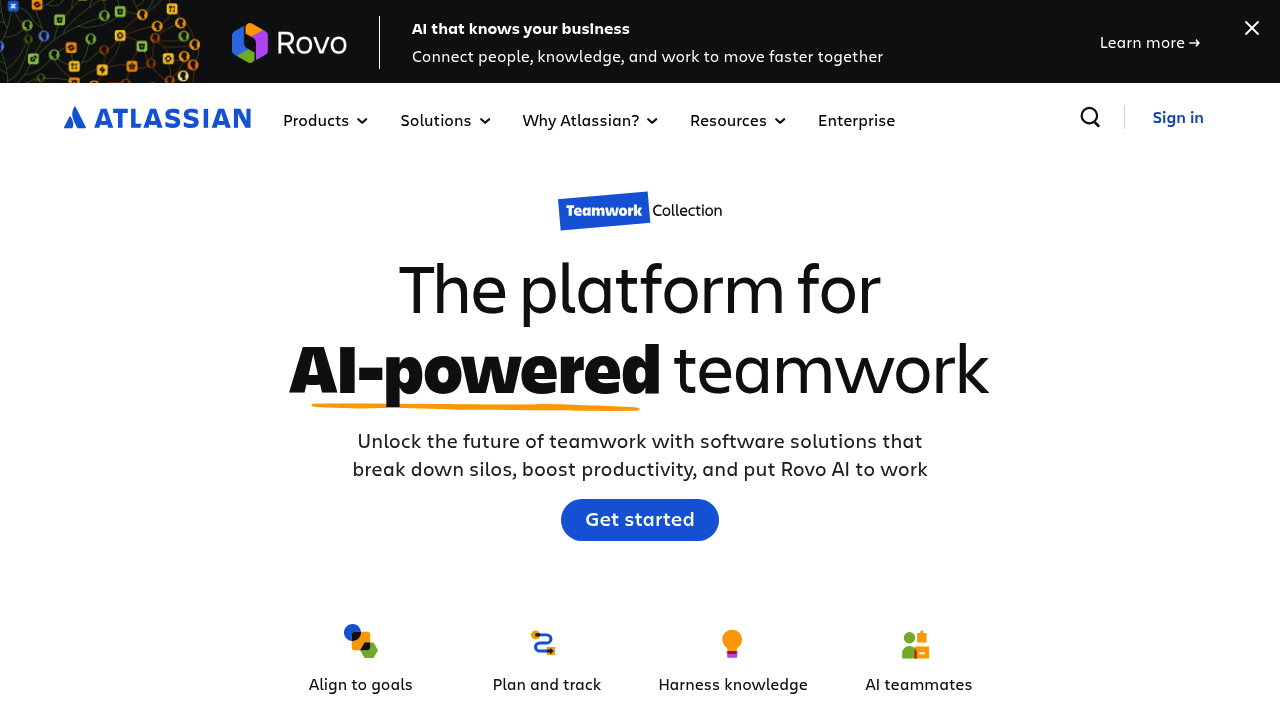
Atlassian AI: Unleash potential, automate workflows, and boost your team's productivity.

Freemium

Atlassian – Collaboration, DevOps, and Workflow Automation for Modern Teams

Atlassian was created to solve the challenge of coordination in growing organizations. Software teams, IT departments, operations groups, and business units often struggle with fragmented tools, unclear communication, and inefficient workflows. Atlassian provides an integrated suite—including Jira, Confluence, Trello, Bitbucket, and Opsgenie—that centralizes project tracking, documentation, incident management, and collaboration.

By unifying workstreams, Atlassian helps teams deliver projects faster, streamline DevOps processes, improve documentation practices, and maintain transparency. Its tools scale from startups to enterprises, ensuring teams stay aligned and productive.

Key Features

  • Jira Work Management & Software: Agile boards, workflows, sprints, roadmaps, and issue tracking.
  • Confluence Documentation: Knowledge bases, project documentation, team spaces, and collaborative editing.
  • Bitbucket & DevOps Pipeline Tools: Code hosting, pull requests, CI/CD, and automated deployments.
  • Opsgenie & Incident Response: On-call scheduling, alerting, incident management, and incident postmortems.
  • Trello Boards: Visual Kanban boards for cross-functional teams and lightweight project tracking.

Pros

  • Industry-leading ecosystem for software and IT teams.
  • Highly customizable workflows and integrations.
  • Strong collaboration tools across engineering, product, and support teams.
  • Scales well for enterprise environments.

Cons

  • Complex setup for large organizations.
  • Steeper learning curve for non-technical teams.
  • Costs can increase as teams and features expand.
  • Customization may require admin expertise.

Pricing

Atlassian offers individual product pricing, but common tiers include:

  • Free Plans
    Available for small teams on Jira, Confluence, and Trello.

  • Standard Plan
    Adds higher usage limits, advanced permissions, and team management.

  • Premium Plan
    Adds automation, advanced roadmaps, analytics, improved SLAs, and enhanced admin controls.

  • Enterprise Plan
    Centralized security, advanced governance, unlimited automation, and priority support.

Pricing varies by product (Jira, Confluence, Opsgenie, Bitbucket) and seat count.

Who Is Using This Tool?

Atlassian’s ecosystem is used globally by:

  • Software engineering teams managing sprints, releases, and issues.
  • DevOps organizations automating pipelines, deployments, and incident response.
  • IT service teams handling tickets, change management, and documentation.
  • Product managers planning roadmaps, requirements, and priorities.
  • Marketing & operations teams using Trello and Confluence to organize workflows.
  • Enterprises requiring scalable governance and collaboration systems.

Atlassian supports nearly every industry, from finance to gaming to government.

Technical Details

Atlassian’s architecture enables deep configurability and integration.

Workflow Engine (Jira)

  • custom issue types
  • automation triggers
  • conditional logic
  • workflow transitions
  • SLAs for service teams

Jira’s API allows full customization of workflows and processes.

DevOps & Bitbucket Pipelines

Supports:

  • automated builds
  • parallel testing
  • deployments to AWS, Azure, Kubernetes
  • code reviews and merge gating
  • integrated security scans

Confluence Architecture

  • rich-text collaborative editor
  • versioning and page history
  • structured knowledge bases
  • macros, embeds, and dynamic content

Integrations

Atlassian integrates with:

  • Slack
  • Microsoft Teams
  • GitHub
  • Zoom
  • Google Workspace
  • ServiceNow
  • Salesforce
  • 5,000+ Marketplace apps

Its automation engine allows cross-product actions across Jira, Confluence, Bitbucket, and Trello.

The User Experience

Atlassian tools are powerful but designed for clarity and transparency.

Ease of Use

  • Trello and Confluence are beginner-friendly.
  • Jira is more complex but extremely configurable.
  • Bitbucket and Opsgenie are intuitive for engineering teams.

Accessibility

  • Works across desktop, mobile, and browser.
  • Strong documentation and templates.
  • Accessible for global teams with role-based permissions.

Common Workflow

  1. A new project is created in Jira.
  2. Documentation is stored in Confluence.
  3. Developers collaborate in Bitbucket.
  4. CI/CD runs automatically.
  5. Incidents are handled via Opsgenie.
  6. Management tracks progress through dashboards and reports.

Atlassian unifies these steps into a cohesive ecosystem.

Summary

Atlassian is a cornerstone platform for collaborative work, DevOps, and enterprise-scale project management. Its integrated tools help teams stay aligned, automate workflows, and deliver work faster. Whether you're managing product development, IT operations, or organizational knowledge, Atlassian offers a robust suite for teams seeking structure and efficiency.

If your organization needs a scalable collaboration and workflow system, Atlassian remains one of the most trusted choices available.

Related Tools

  • Asana – Team collaboration and task management.
  • Monday.com – Visual project management platform.
  • Notion – Flexible workspace for documentation and tasks.
  • Azure DevOps – DevOps pipelines and project management.
  • GitLab – Complete DevOps lifecycle platform.

Quick Actions

Similar listings in category