
Future AI Guide - AI Tool Directory

The Ultimate AI Tool Directory

Asana
Asana logo

Asana

Vote for this project

Maximize impact, drive clarity: Asana AI intelligently accelerates your work.

Freemium

Asana – The Work Management Platform for Teams, Projects, and Scalable Collaboration

Asana was built to solve the chaos of modern teamwork: scattered communication, unclear responsibilities, missed deadlines, and projects spread across countless tools. As teams grow, coordination becomes harder—not easier. Asana brings structure, clarity, and accountability by providing a single workspace to plan, track, and manage work across teams.

Asana transforms organizational workflow into a transparent system of tasks, timelines, automations, and reporting dashboards. From startups to global enterprises, Asana helps teams stay aligned, reduce unnecessary meetings, and deliver work more efficiently.

Key Features

  • Task & Project Management: Assign tasks, set priorities, track progress, and organize work across projects and portfolios.
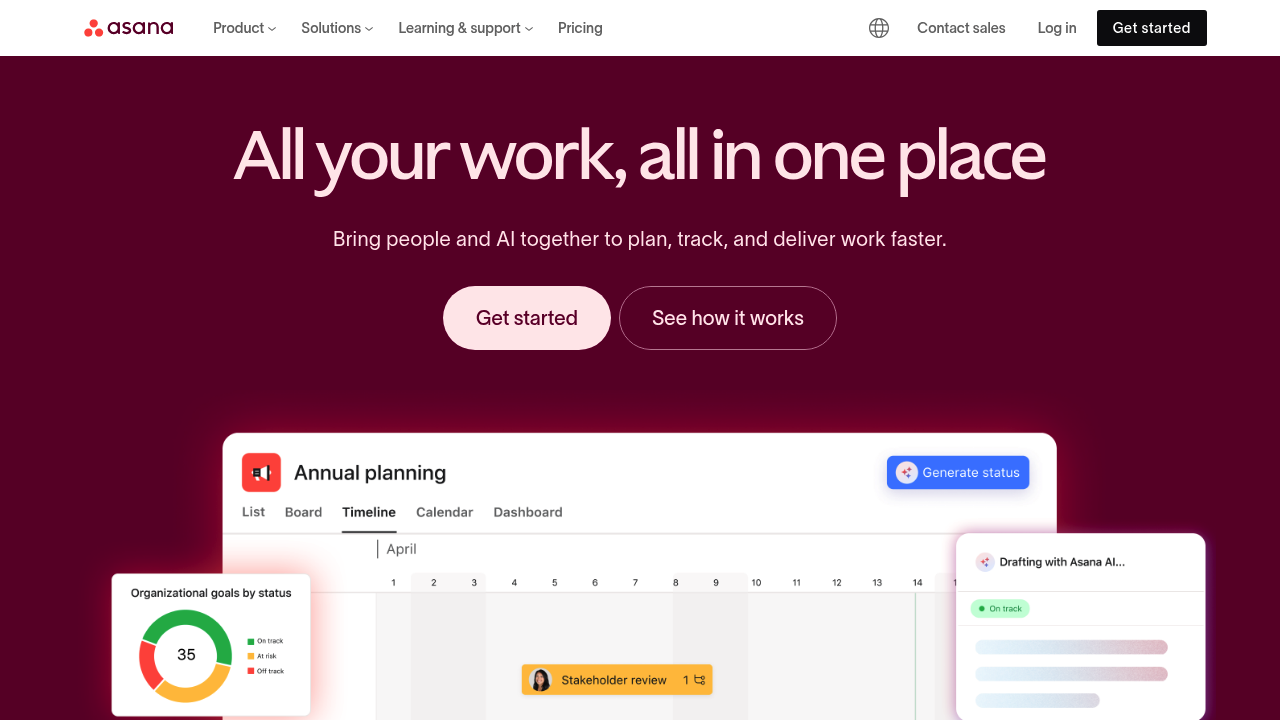
  • Views (List, Board, Timeline, Calendar): Flexible visual layouts for planning and tracking workflows.
  • Workflow Automations: Rules, triggers, and integrations to reduce manual coordination.
  • Reporting Dashboards: Real-time analytics across teams, goals, workloads, and timelines.
  • Cross-Team Collaboration: Shared workspaces, comments, messaging, and multi-department coordination.

Pros

  • Extremely flexible across industries and team sizes.
  • Powerful workflow automations reduce repetitive coordination work.
  • Excellent visualization tools for planning and scheduling.
  • Strong enterprise capabilities—permissions, portfolios, reporting.

Cons

  • Premium features are required for advanced project tools.
  • Can feel complex for small teams unfamiliar with structured PM.
  • Automation setup may have a learning curve.
  • Requires consistent adoption to be effective.

Pricing

Asana offers several pricing tiers:

  • Basic (Free)
    Ideal for individuals or small teams needing simple task lists.

  • Premium
    Adds Timeline view, workflow automations, custom fields, and advanced project features.

  • Business
    Includes portfolios, goal tracking, workload monitoring, advanced integrations, and reporting dashboards.

  • Enterprise
    Offers SAML, advanced admin controls, data governance, SOC 2 compliance, and custom security features.

Pricing scales based on team size and required features.

Who Is Using This Tool?

Asana is used across industries for project coordination, including:

  • Marketing teams running campaigns, content calendars, and launches.
  • Product teams planning roadmaps, sprints, and feature development.
  • Operations teams managing SOPs, logistics, and workflows.
  • Agencies coordinating client deliverables and production schedules.
  • HR teams organizing hiring pipelines and onboarding.
  • Executives monitoring goals and organizational progress.

Its adaptability makes it a universal tool for structured collaboration.

Technical Details

Asana is built on a robust cloud architecture designed for speed, reliability, and enterprise-grade security.

Data & Workflow Engine

Asana’s underlying system includes:

  • real-time synchronization
  • event-driven automation
  • distributed task graph mapping
  • dependency tracking and workload allocation

This powers dynamic updates across large teams.

Automations & Integrations

Asana integrates with:

  • Slack
  • Google Workspace
  • Microsoft Teams
  • Jira
  • Zoom
  • HubSpot
  • Salesforce
  • Zapier

Developers can extend Asana using the API for custom automations.

Reporting Infrastructure

Dashboards include:

  • real-time charts
  • workload heat maps
  • goal tracking
  • portfolio rollup reporting

Data updates instantly across users.

The User Experience

Asana focuses on clarity, transparency, and ease of collaboration.

Ease of Use

  • Organized, intuitive interface.
  • Drag-and-drop task handling.
  • Simple project creation using templates.

Accessibility

  • Works across web, desktop, and mobile.
  • Highly accessible for non-technical users.
  • Clean UI reduces cognitive load.

Workflow Example

  1. Create a project
  2. Add tasks & assignments
  3. Choose a view (board, list, calendar)
  4. Automate repetitive steps
  5. Monitor progress in real time

This standardizes team operations and improves accountability.

Summary

Asana is a powerful platform for managing projects, workflows, and teams at any scale. It centralizes communication, clarifies responsibilities, and provides real-time visibility into organizational progress.

If you’re looking to eliminate chaos and create predictable, consistent workflows, Asana is one of the most effective solutions available.

Related Tools

  • Trello – Simpler Kanban-style project management.
  • Monday.com – Visual work OS for team collaboration.
  • ClickUp – All-in-one project and productivity platform.
  • Notion – Flexible workspace for docs, tasks, and knowledge.
  • Jira – Best for engineering and software development.

Quick Actions

Similar listings in category